Data becomes a world.
Turn CSV data into a rotating 3D Earth.
Choropleth, 3D columns, points, arcs — offline, local, in under a minute.
Plenum Globe is a desktop app for interactive 3D globe visualizations. Import a CSV file, pick a visualization mode — and your data appears as colored countries, 3D columns, coordinate points, or connection arcs on a rotating Earth. 100% offline. For macOS and Windows.
Four Core Visualizations
Switch modes per layer with a single click — all four combinable on one globe.
Choropleth
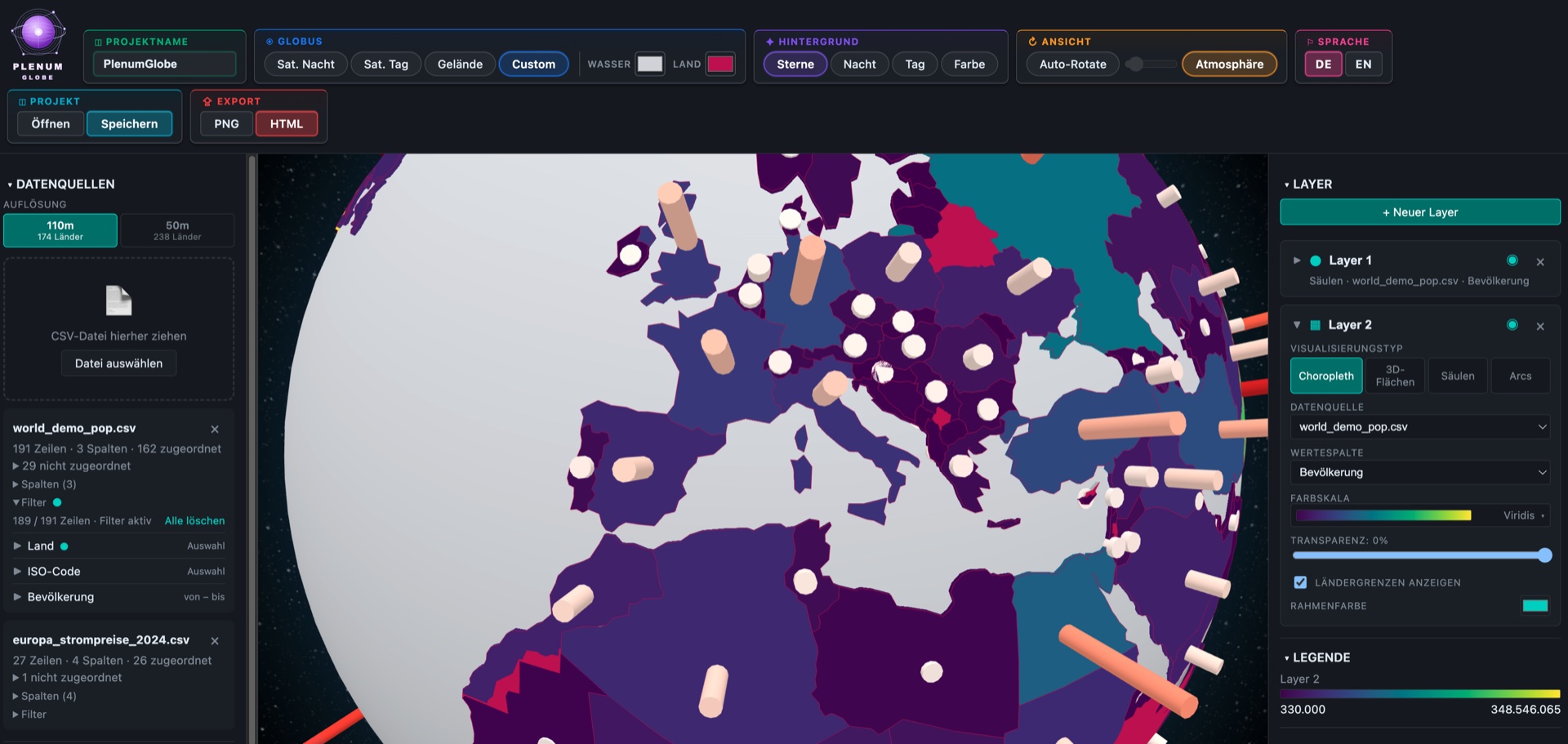
Color-fill countries by value. The classic for comparing states, regions, or provinces.
3D Columns
Countries become standing columns, height proportional to value. Especially striking for wide value ranges.
Points
Markers at exact lat/lng coordinates — cities, POIs, sensors, events. Or automatically at country centers.
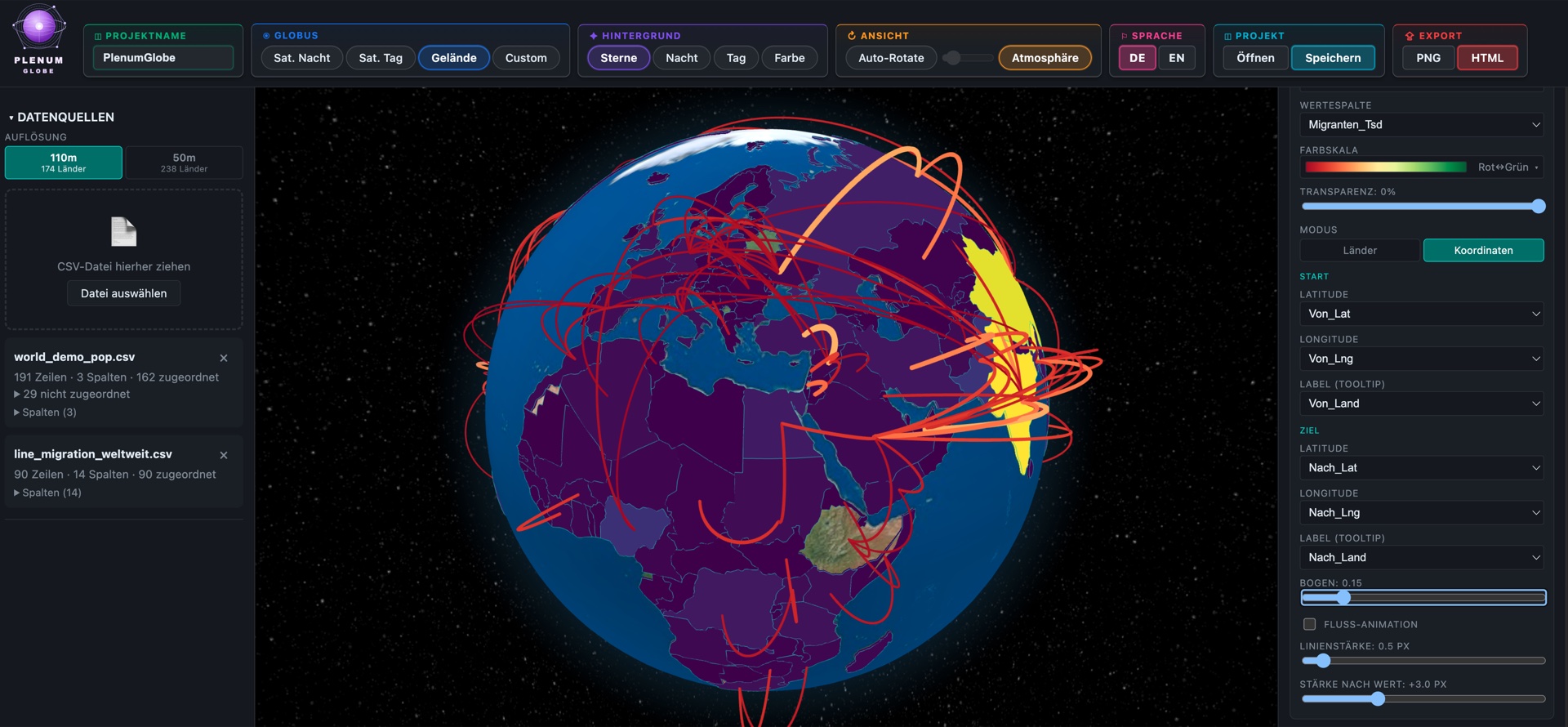
Arcs
Elegant curved connection arcs between two countries. Perfect for flight routes, migration flows, trade routes. Optional animation.
World Data Included
No geodata setup. No shapefile imports. Everything is there from the start.
Countries in 3 Resolutions
Natural-Earth-based GeoJSONs at 110 m, 50 m, and 10 m — switchable between fast overview and detailed borders for close-ups.
Robust Matching
Matching across ISO Alpha-2, Alpha-3, numeric, name, and admin. Names are fuzzy-matched — diacritics, „The", and „Republic of" are stripped.
Auto Column Detection
Semantic roles are detected automatically: text, number, ISO A2/A3/N3, country name, latitude, longitude, date/time.
Coordinate Support
As soon as coordinate columns are detected, points land exactly there — no extra configuration needed.
Customization & Styling
Customizable down to the last detail — for presentations, reports, and brand-compliant visuals.
19 Color Palettes + Custom
Sequential single-color (blue, green, red, …), multi-color (Viridis, Inferno, Plasma, Magma, Cividis, Turbo), and diverging (Spectral, Red↔Blue, Pink↔Green). Plus custom palettes with 2–3 color stops.
4 Globe Textures
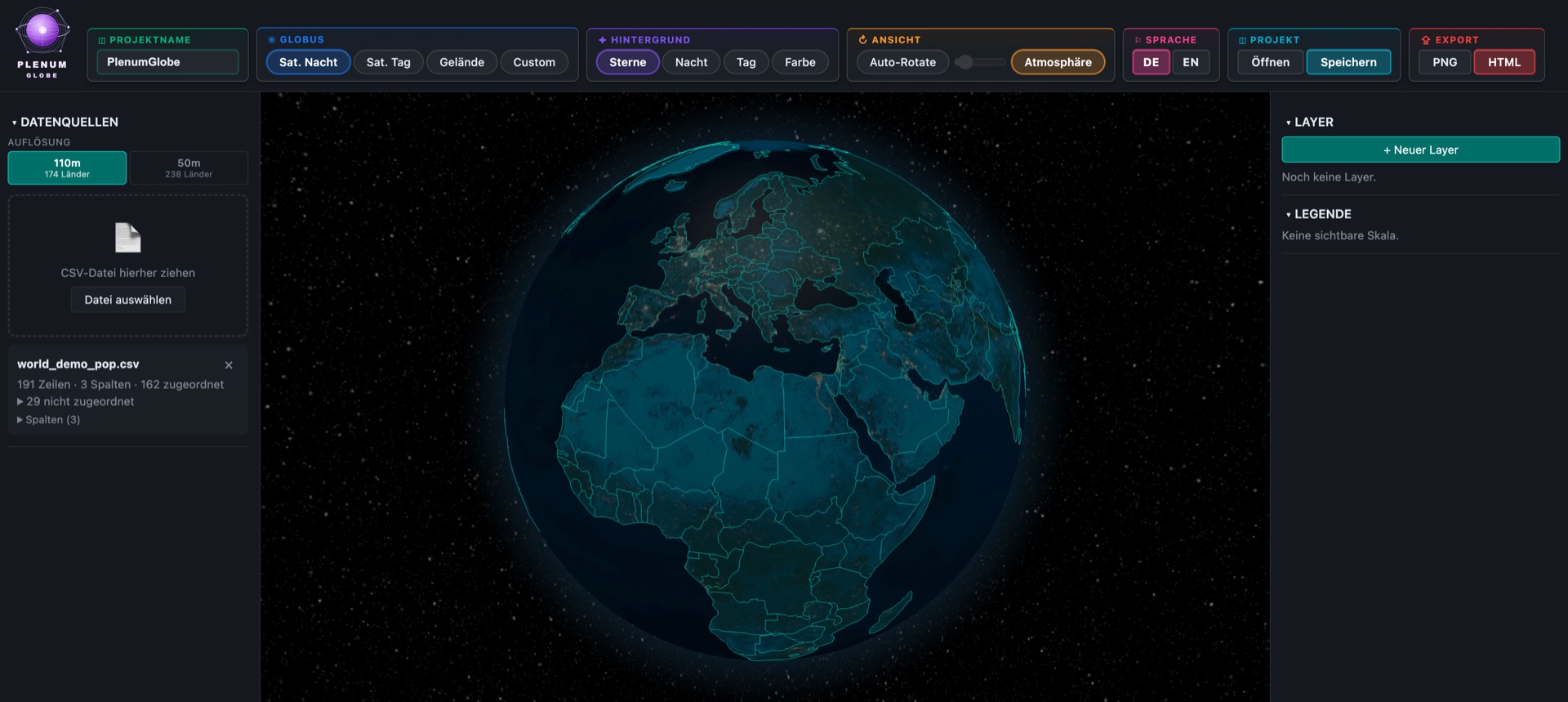
NASA Black Marble (satellite night), Blue Marble (satellite day), topographic terrain, and a procedural custom texture from two colors — for brand-compliant presentations without Photoshop.
Decoupled Background
Stars, night, day, or free background color — independently combinable with the globe texture.
Atmosphere & Auto-Rotation
Glowing halo effect for spatial depth. Auto-rotation with adjustable speed — ideal for kiosk views and shop-window screens.
Layer System
Stack any number of layers, each with its own data source, value column, color scale, and transparency. Drag-and-drop order, individual visibility, inline-editable name.
Live Legend
Gradient bar with min/max values in locale-aware number format — updated automatically whenever you switch data.
Import & Data
CSV in a Second
Drag-and-drop or file dialog. Automatic detection of delimiter (`,` `;` Tab) and decimal format (dot or comma).
Import Wizard
Preview of the first 8 rows, column role adjustable via dropdown, key column with one click. Live match preview: „X / Y matched".
Multiple Datasets
Combine for example population (Choropleth) with flight routes (Arcs) in a single scene. Each layer has its own data source.
Re-Match Without Reimport
Change column role or GeoJSON resolution — all datasets are re-matched without reloading the CSV.
Export in 3 Formats
PNG Export
Screenshot of the globe in its current view — just the sphere, no UI. Ideal for decks, social media, and print.
Standalone HTML
A complete interactive globe file: rotatable, zoomable, with tooltips. All inline, no server, no npm. Opens in any browser, even offline. Perfect for email or blog embedding.
Project Files (.plenumglobe)
Save a complete scene and continue editing later — including layers, textures, background, and rotation state. Readable JSON format.
Privacy & Performance
100 % Local, 100 % Offline
No cloud, no telemetry, no API calls, no backend dependency. After launch, the app needs no internet connection.
No Data Handed to Third Parties
Your CSV files never leave your device. Ideal for confidential business data and GDPR-critical analyses.
WebGL Rendering
Real GPU acceleration via three.js. Smooth interaction even with hundreds of data points on modern MacBooks and Windows laptops.
Who Is Plenum Globe For?
Business Analysts & Controllers
- Revenue, customers, market share by country
- KPI dashboards on a country level
- Investor presentations with strong visuals
Journalism & Data Storytelling
- Migration routes, refugee flows
- Infographics for online articles (embeddable HTML export)
- Election and conflict visualizations
Science & Education
- Climate data (temperatures, emissions, rainfall)
- Epidemiological distributions
- Geopolitical teaching materials
Logistics & Mobility
- Flight routes, freight lanes, supply chains
- Location networks, branch maps
- Travel reports for top management
NGO & Public Affairs
- Project locations worldwide
- Donor and audience distribution
- Progress reports in geographic form
Presentations & Kiosks
- Auto-rotation for shop windows and trade-show booths
- Standalone HTML for website embedding
- Hero visuals for keynote presentations
Why Plenum Globe?
Vs. Plenum Atlas (Sister App)
Atlas = flat maps, arbitrary projections, many layer types (choropleth, bubbles, heatmap, labels, hub-spoke, dashboard windows).
Globe = 3D Earth sphere, perspective camera, focused on the four strengths that only work in 3D. Both apps share the same license and update system.
Vs. „Big" GIS Tools (QGIS, ArcGIS)
No geodata setup, no coordinate-system fiddling, no shapefile imports. Plenum Globe is not a GIS — it's a visualization tool for finished data, with a 3D globe out of the box.
Vs. Web Dashboards (Kepler, Flourish, Observable)
Fully offline, no account required. Your data stays local. A native desktop build instead of a browser tab, including its own menu bar and system file dialogs.
Vs. Rolling Your Own with react-globe.gl
No programming, no build pipeline. UI for all key settings. Output as standalone HTML that uses exactly react-globe.gl internally — full compatibility with the developer ecosystem.
Technical Specs
| Platforms | macOS 13+, Windows 10+ |
| Install Size | ~ 80 MB |
| Architecture | Tauri 2 (Rust) + React 18 + TypeScript + WebGL |
| Rendering Engine | three.js / react-globe.gl |
| Geodata | Natural Earth Data (Public Domain), bundled |
| Languages | English, German |
| Offline Operation | fully offline — license key checked locally, no activation |
| Privacy | no cloud, no telemetry, no API calls |
| Data Formats | CSV (auto-delimiter, auto-decimal), GeoJSON integrated |
| Export | PNG, Standalone HTML, .plenumglobe (JSON) |
| License Model | one-time purchase (direct via PayPal or Mac App Store) |
Pricing
One-time purchase. No subscription. No recurring fees. Yours forever.
Plenum Globe Pro
Full version — all features included
- 4 visualization modes (Choropleth, 3D columns, Points, Arcs)
- 244 countries, 4 globe textures, 19 color palettes
- Export: PNG, standalone HTML, .plenumglobe
- 100 % offline & GDPR-compliant
- Free updates within the major version
Checkout via PayPal — pay with your PayPal account or as a guest by credit or debit card. The PayPal form is labelled “donation”; the amount is the regular purchase price.
Please share your e-mail address with us at PayPal. Your personal license key and download link are sent by e-mail — without an address we can’t deliver automatically.
User Handbook
Download the complete documentation as PDF — available in English and German.
New to this? Read the step-by-step guide: How to visualize country data on a 3D globe → · All guides
FAQ
Do I need an internet connection?
No. Your license key is checked right on your computer — no activation, no cloud, no API calls. The app runs fully offline.
Where is my data stored?
Locally on your device only. There is no server, no upload, and no telemetry. Your CSV files never leave your device.
Are there updates?
Yes, free updates within the major version.
Can I use my own GeoJSONs?
Currently focused on world and country borders (Natural Earth, 244 countries, 3 resolutions). Custom GeoJSON upload is on the roadmap — coming soon.
What sets Globe apart from Atlas?
Atlas is a flat map with many visualization types. Globe is a 3D Earth with four core types. Both apps come from the same maker and complement each other — shared license and update system.
Which platforms does Plenum Globe run on?
macOS 13 and newer, Windows 10 and newer. Native desktop apps (Tauri 2), not a web app disguised as desktop software.